The Problem
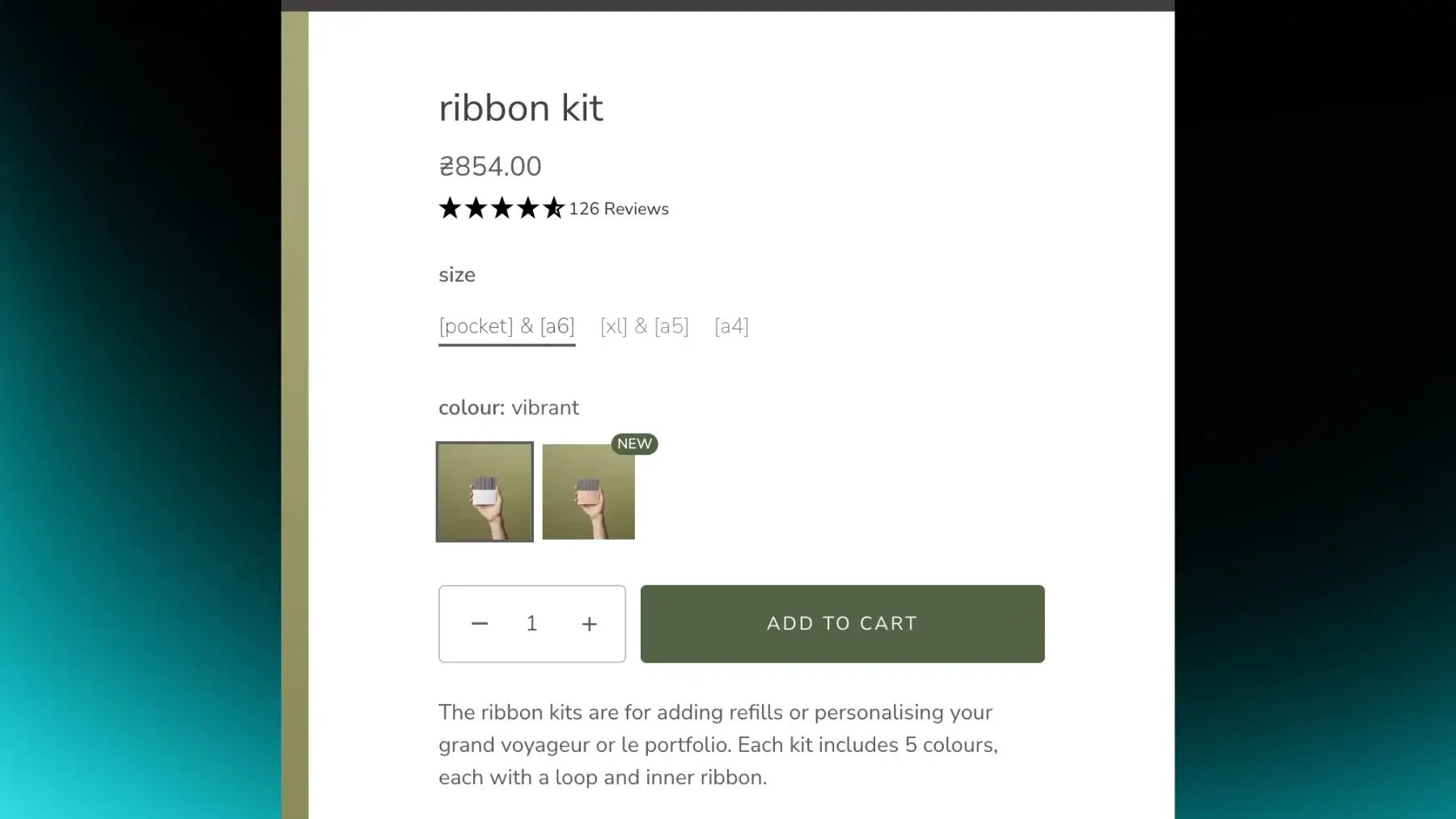
The store could only highlight products at the product level, not at the individual variant level. When a new or special variant was introduced (for example a new leather color), there was no clean way in the theme to show a "NEW" tag tied specifically to that variant. Customers might not notice new variants while browsing options on the PDP, and merchandising couldn't easily promote them without changing images or core copy.
The Solution
We introduced variant-level tags through Shopify metafields. A product metafield ("Variant options for displaying tags") lets the merchandiser define which option names should be able to display a tag. For each variant, a variant metafield ("Tag") stores the actual text, "NEW", for example. On the PDP, when a customer selects a combination of options, the theme checks whether a variant tag exists and whether all other options (except the one where the tag is displayed) match between the currently selected variant and the tagged variant. If they match, the tag is shown above the relevant option value.
Why It Mattered
It's now possible to promote specific variants, new colors, and special configurations directly in the options interface without creating separate products or changing base product content. Customers can quickly see which color or variant is new or highlighted while exploring options on the PDP, which supports better product discovery and drives attention and sales towards key variants.
Technical Details
Uses two metafields: a product metafield listing option names exactly as they appear in the product configuration, and a variant metafield storing tag text per variant. Display logic: the tag is shown if all other options (except the one where the tag is rendered) match between the currently selected variant and the variant carrying the tag. All comparisons run in the theme using Liquid and JavaScript based on the metafield configuration.
.png?width=500&height=250&name=GWA%20Logo%20(1).png)