The Problem
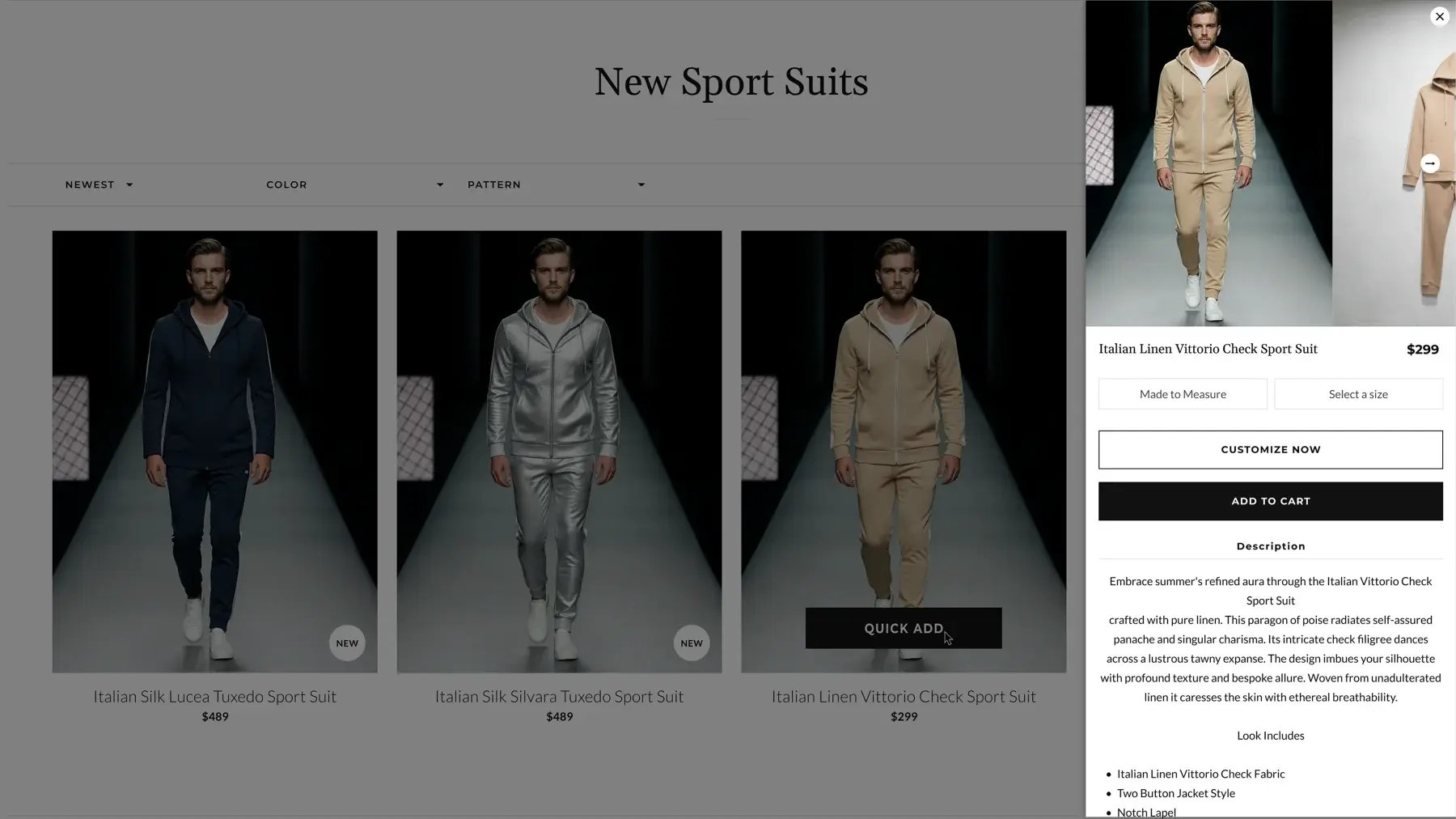
On the collection page, the only way to buy was to click through to the PDP, scroll through all the details and customization options, and then add to cart. For shoppers who were browsing within one category and wanted to quickly add a suit with a basic configuration, that extra step made the process slower and increased the number of page loads needed to start a cart.
The Solution
We added a Quick Add entry point directly to each product card in the collection grid. On desktop, it appears on hover; on mobile, the button is visible without hover. Clicking Quick Add opens a slide-out panel from the right with product images, price, and key purchase controls (size/made to measure and essential options). The user configures the minimum required settings, confirms, and the product is added to the cart while they stay on the collection page.
Why It Mattered
Customers can now purchase products directly from the collection page and continue browsing without losing context. It reduces friction for shoppers who browse and select multiple suits within a single session, making it easier to add several products in a row, which improves speed and convenience for experienced shoppers and supports larger baskets.
Technical Details
Built into the Online Store theme as part of the product card component. The Quick Add button triggers a JavaScript-driven slide-out drawer that loads product information similar to the PDP purchase block: image carousel, price, and key selectors. Once the user confirms, the configuration is sent to the cart via Shopify AJAX cart APIs; the user stays on the collection page, and the current sort, filters and image mode (model / close-up) are preserved.
.png?width=500&height=250&name=GWA%20Logo%20(1).png)