The Problem
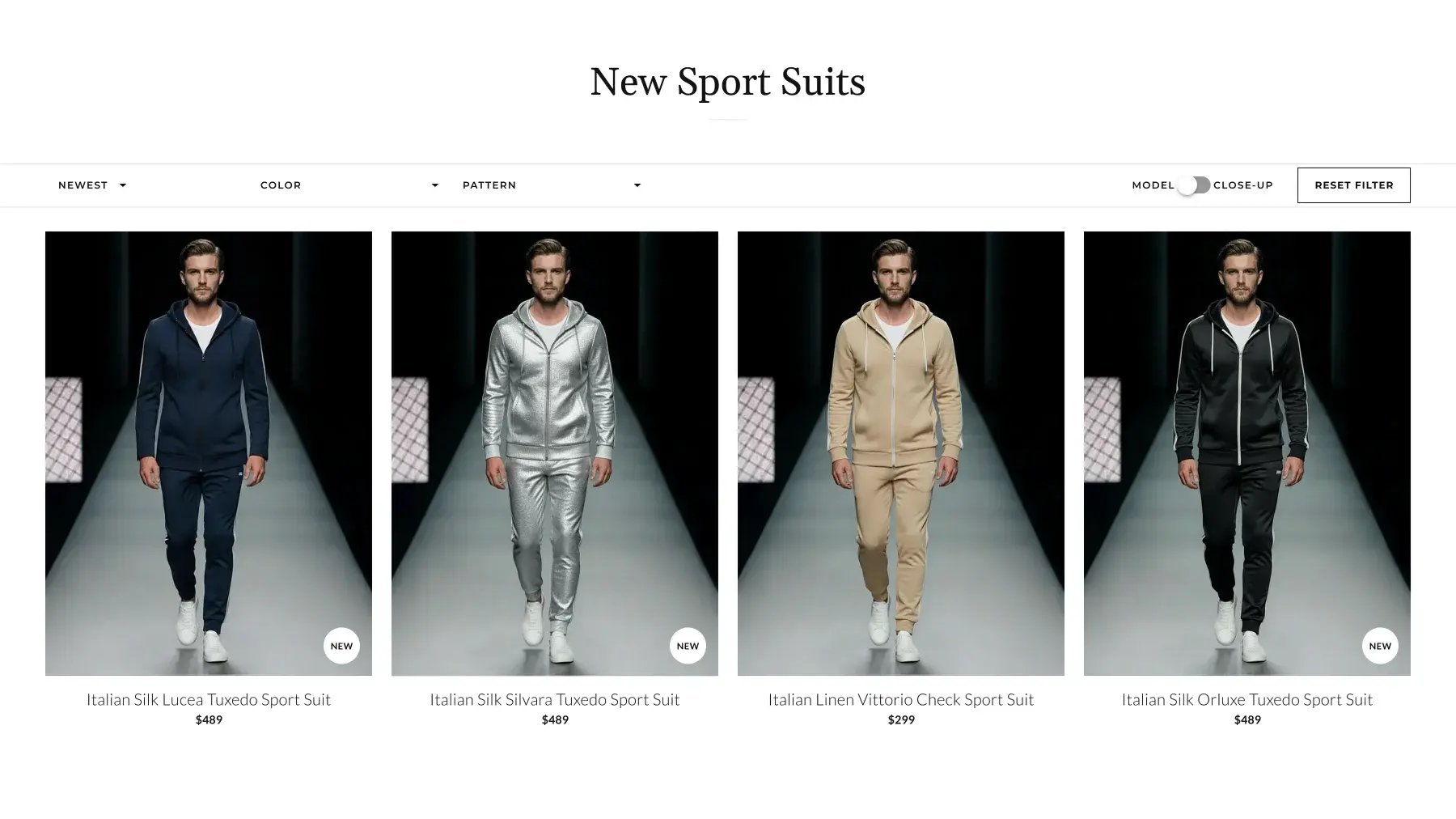
On the collection page, each product card could only show one type of image by default. Some customers prefer to see the suit on a model to understand overall fit and style; others want a close-up of the fabric texture and pattern. Without a simple way to switch between these views, users had to open individual PDPs or rely on whichever default image the brand had chosen, which slowed down comparison and evaluation across a whole collection.
The Solution
We added a Model/Close-up toggle to the control block above the product grid on the collection page. The toggle has two modes: "model" (default) and "close-up," and when the shopper switches modes, all product cards in the visible collection instantly update their main image type. The list of products, active filters and sorting stay the same; only the image type changes.
Why It Mattered
The toggle made it much easier for customers to evaluate products the way that matches their decision style, overall silhouette on a person, or fabric texture up close. Browsing improved, the need to open multiple PDPs just to check fabric details dropped, and it supported more confident selection within large collections. For fabric-driven categories like Tweed Suits, where the fabric close-up is a key factor in the purchase decision, this is particularly important.
Technical Details
Built as part of the custom Sort & Filter block on the collection page. The toggle state is managed on the frontend via JavaScript and applied globally to the product grid. Liquid templates and JS choose which image to display in the card based on the current toggle value. Switching the toggle doesn't trigger a full page reload and doesn't affect the product set, filters, sorting or pagination; it only swaps the image source for all rendered cards.
.png?width=500&height=250&name=GWA%20Logo%20(1).png)