The Problem
The limit configured in Shopify Checkout settings was only enforced at the checkout step. On the cart step, a customer could add many items but when they tried to proceed to checkout, they'd see a message saying some products hadn't been added in the quantity shown in their cart. That confused customers right at the point of purchase.
The Solution
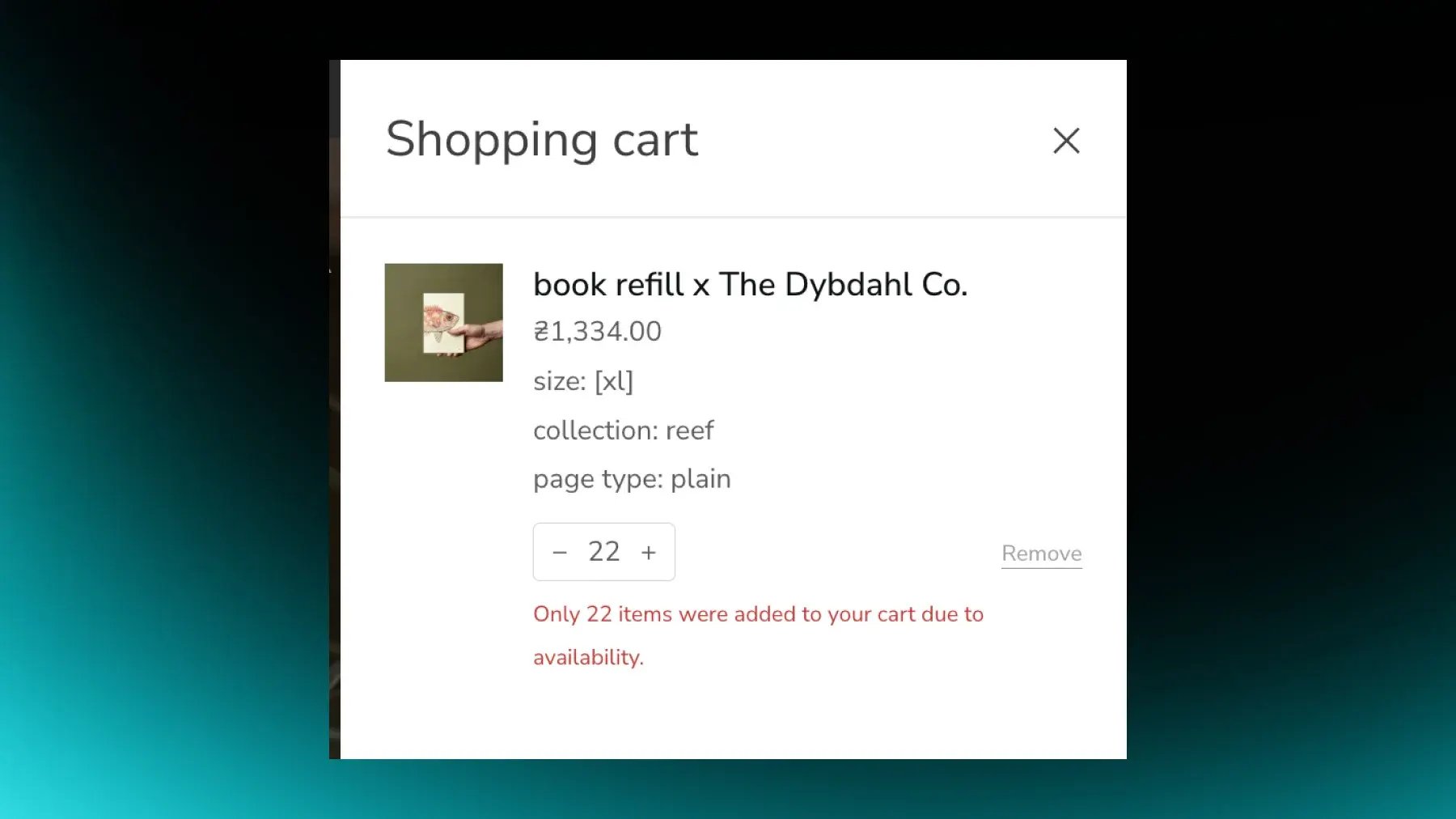
We configured a global cart limit in Shopify's Checkout settings (22 items, for example) and introduced a matching shop-level metafield to store the same value. The Cart Drawer reads this metafield and, on attempts to exceed the limit, including by typing a large number into the quantity field, shows a clear error message: "Only [X] item was added to your cart due to availability." Variants with "Continue selling when out of stock" enabled are handled separately, so the global limit doesn't block them the same way as stock-limited items.
Why It Mattered
Instead of opaque or silent Shopify errors, customers see a precise, controlled message directly in the Cart Drawer and understand exactly how many units were added. It reduces confusion and support tickets related to large multi-item carts, while keeping inventory and cart behavior predictable.
Technical Details
The numeric limit is configured in Shopify Checkout settings, and a shop metafield mirrors the value for theme logic to use. Cart Drawer Liquid and JavaScript read the metafield to show a consistent limit in user-facing error messages, so the UI stays synchronized with the admin setting. The theme also respects the variant-level "Continue selling when out of stock" flag, so those variants follow a different path than stock-bound items.
.png?width=500&height=250&name=GWA%20Logo%20(1).png)